
Build Your Studio. Create Without Limits.
- Explainer
How to Choose a Ring Light Kit for Kids Who Want to Make Videos
A practical buying guide for parents and young creators: the features that matter in a starter ring light kit and the ones that are just marketing.
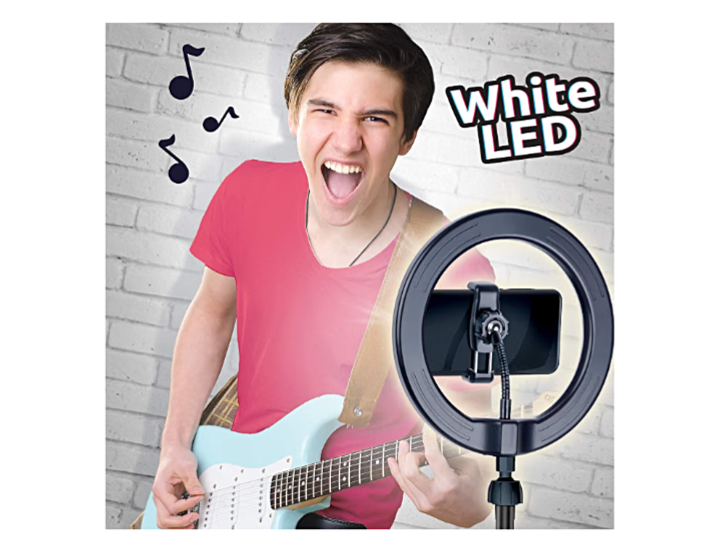
Kids who want to make videos are not asking for much: a decent light, a place to put the phone and a backdrop that does not look like the laundry room. A ring light kit bundles those basics, and the Canal Toys Studio Creator 2 is one example of the approach. This guide explains what to look for in any starter kit so you can compare options confidently, whether you end up with that kit or something else.
How this guide was built
This is a buying framework based on general lighting and video basics and on the published details of one example product. We have not tested multiple kits side by side. Read our editorial policy for how we label research versus hands-on testing.
1. Light size and brightness
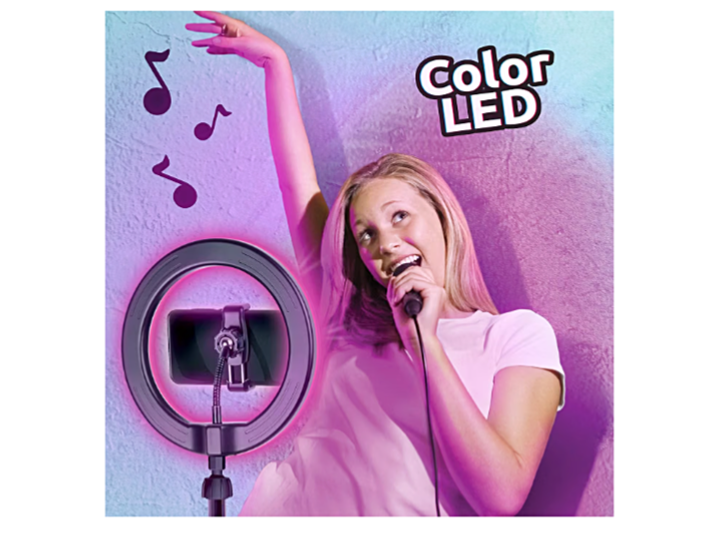
Ring light size is measured by the diameter of the ring. Small rings, around 6 to 10 inches, are designed for close-up use: selfies, makeup tutorials, product shots and talking-head videos filmed from a desk. Larger rings, 12 inches and up, spread light over a wider area and suit standing shots. The Studio Creator 2 lists an 8-inch ring, so it fits the close-up category. Brightness controls matter as much as size, because a light that cannot be dimmed can wash out faces or bother young eyes. Look for several brightness steps and a choice of white tones.
2. White light modes versus color modes
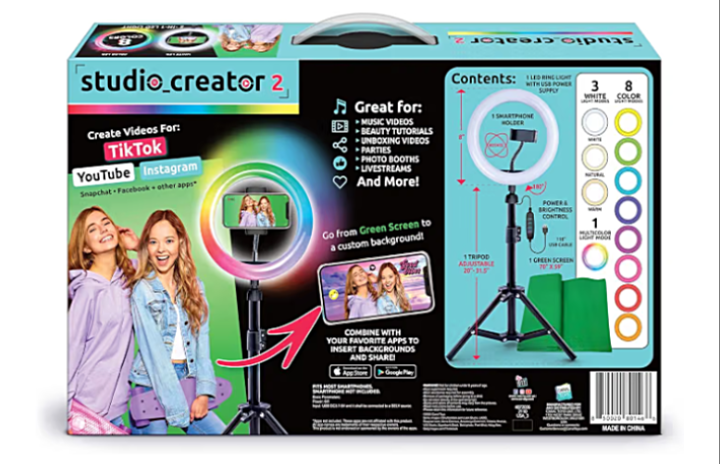
Color modes are fun, but white modes do the daily work. Look for at least a cool white, a neutral white and a warm white so the light can match a room's lamps. In the Studio Creator 2 listing, the kit offers three white modes, eight color modes and one multicolor mode. If you are choosing between kits, count the white options before you count the colors.
3. Tripod height and stability
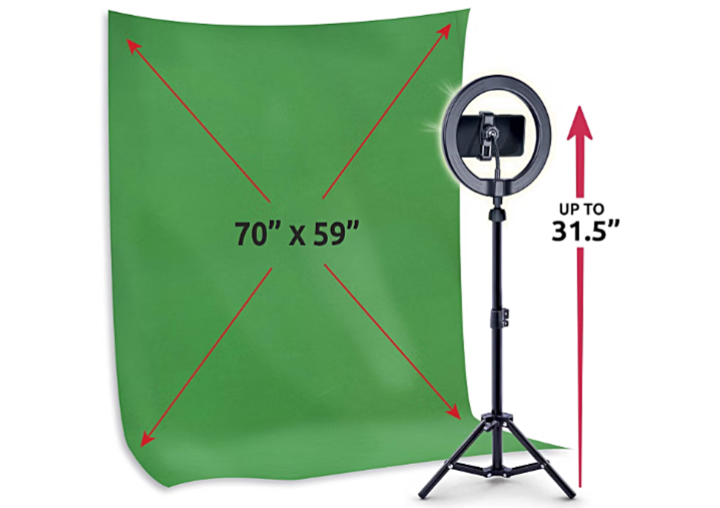
A tripod needs to be tall enough for the way the child records. If they sit at a desk or table, a stand of 20 to 32 inches is fine. If they stand, look for a stand taller than the child's chest. A kit's maximum height is often the first thing reviewers complain about, as one reviewer did on the Studio Creator 2 listing, noting that it reached only waist height. Also look for locks that tighten firmly and legs that spread wide enough to resist tipping.
See a Kit With Ring Light, Tripod and Green Screen
The Studio Creator 2 listing shows the full contents and customer reviews.
4. A phone holder that actually holds
Flexible gooseneck holders are popular because they bend into many angles, but the neck can droop under a heavy phone. Check the maximum phone width the holder accepts and whether it works with thick cases. Position matters too: the phone camera should sit near the center of the ring so the light falls evenly on the face. Some reviewers note that clips can end up outside the ring in certain kits, so look at customer photos before you buy.
5. Power: USB, batteries or wall plug
Most ring light kits run over USB. That is convenient because phone chargers and power banks work, but you must check whether the box includes a wall adapter. A long cable gives you flexibility on placement. Never run it where someone can trip, and keep it away from liquids.
6. A green screen or backdrop
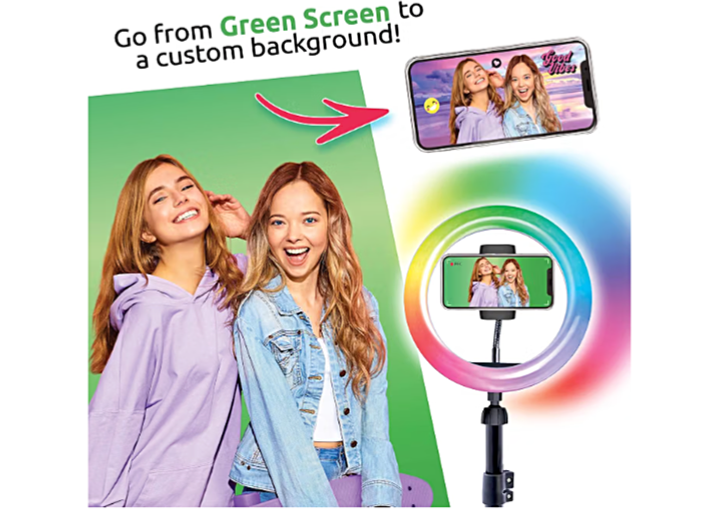
A green screen is the feature that turns a lighting kit into a video-editing playground. It lets a child replace the wall behind them with a picture or video clip. Look for a size that covers the shoulders and head of the person in front of it. The 70 x 59 inch cloth in the Studio Creator 2 kit is enough for one person sitting or standing close; a bigger group needs a wider backdrop.
7. Age rating and safety information
Read the age grade and warnings. The Studio Creator 2 listing is graded 8+ and warns that small parts are a choking hazard for children under 3. Adults should supervise setup and cable management, and any electronic light should be used according to the manufacturer's guidance.
Quick comparison checklist
| Feature | Good sign | Warning sign |
|---|---|---|
| Light | Several white tones and brightness steps | Only color effects |
| Tripod | Reaches the height your child records at | Max height lower than chest height |
| Holder | States compatible phone widths | No size information |
| Power | Cable length and adapter details given | Unclear power source |
| Extras | Green screen or backdrop included | Extras that are tiny or flimsy |
| Safety | Clear age grade and warnings | No safety information |
Look at the Studio Creator 2 Kit
Compare it against this checklist using the listing details.
Teaching good habits from the start
A kit is only the beginning. Teach children to record in a space that does not show personal details such as the home address, a school uniform crest or a street sign. Agree on where videos may be shared, and keep device privacy settings tight. Our kit contents guide shows what a typical bundle includes, and our value analysis helps you decide how much to spend.
Mistakes parents make when buying a starter kit
- Buying on price alone and ignoring the tripod height the child needs.
- Assuming a phone is included. Most kits, including the Studio Creator 2, do not include one.
- Forgetting a power source for the light.
- Skipping the age grade and the small-parts warning.
- Expecting studio results from a compact light in a dark room.
A better approach is to decide where and how the child will record. A desk, a bedroom wall and a living room corner all call for slightly different setups. Spend a few minutes picking the spot, measure the space, and then choose gear that fits it. Many families find that a small first kit teaches them what to upgrade, which makes the second purchase more informed.
What a young creator can grow into
After a few weeks of recording, children often want better sound, steadier shots and more control. Sensible upgrades, in order of impact, are a clip-on or small USB microphone, a sturdier tripod or phone clamp and a second light. The ring light and green screen from a starter kit stay useful through these upgrades, so they are not wasted money.
Frequently asked questions
What size ring light is best for kids?
For close-up videos at a desk, an 8 to 10 inch ring is typically enough. Larger rings suit standing shots and wider scenes.
Do I need a green screen?
No, but it adds creative options if the child wants to swap backgrounds.
Can a child use a ring light safely?
Follow the age grade and safety instructions, keep brightness comfortable and supervise setup.
What else should I buy?
A phone with space for video, a USB power source, an editing app and a quiet place to record. A small clip-on microphone is a worthwhile later upgrade for clearer sound.
Affiliate and research note
This page contains affiliate links. We may earn a commission at no extra cost to you. Prices and specifications can change.
Sources
- Amazon product listing: Canal Toys Studio Creator 2 Influencer Video Creator Kit
Product listing, manufacturer description, listing images and customer reviews reviewed at the time of writing.
Report a copyright issue with this article
Comments
No comments yet.